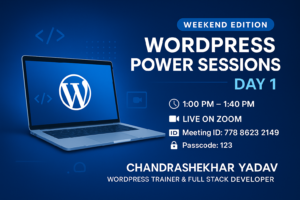
WordPress Training: Beginner to Advanced
This Course Is For:
- Students
- Job Holders
- Business Owners
- Freelancers
Hello, everyone! My name is Chandrashekhar Yadav. I am a full-stack web developer and online tutor. We have brought you a comprehensive WordPress training course that covers everything from beginner to advanced levels.
WordPress Overview
Our course begins with a detailed outline for the first chapter and progresses to advanced topics, including WooCommerce in the third chapter. This training is designed for anyone who wants to learn WordPress, regardless of background.
Why Choose This Course?

- For Business Owners: This course is an excellent opportunity for business owners who want to take their business online and create an online store.
- For Freelancers: Freelancers can learn advanced WordPress skills, practice them, and use this niche to boost their freelance careers.
- For Job Holders: Those employed can use this course to earn extra income online by learning WordPress.
Even if you have yet to gain prior knowledge of WordPress, this course is designed to increase your understanding and skillset.
Course Highlights
- Comprehensive Training: From beginner to advanced level.
- Live Projects: Hands-on experience with live projects.
- High Demand Skills: Learn skills that are in high demand in today’s job market.
Key Topics Covered
1. Introduction to WordPress:
-
- What is WordPress?
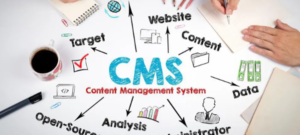
- What is a Content Management System (CMS)?
- Explanation of how WordPress is one of the most widely used CMS platforms globally.
2. Installation and Setup:
-
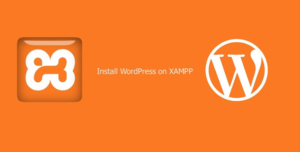
- Installing XAMPP and WordPress.
- Database creation.
- Setting up hosting and domain.
3. Website Development:
How to create and edit pages and menus in WordPress.
-
- Managing posts, categories, tags, and comments.
- Using the WordPress Media Library.
4. Theme Customization:
-
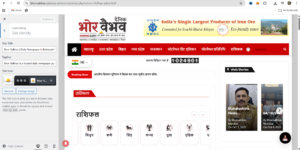
- Installing and customizing themes.
- Using widgets in themes.
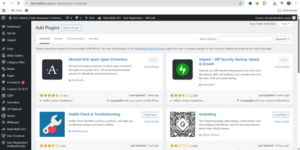
5.Plugins and Extensions:
-
- Installing and configuring WordPress plugins.
- Setting up contact forms and email configurations.
6. Advanced Settings:
-
- Configuring WordPress settings.
- Backing up and restoring websites.
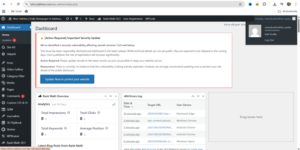
- Updating themes, plugins, and WordPress itself.
7. Website Deployment:
-
- Migrating a WordPress site from a local server to a live server.
- Providing a local development environment and transitioning to a live environment.
Practical Applications
Designing portfolio websites.
Creating blogging platforms.
Developing high-performing eCommerce stores.
This course will provide you with all the tools and knowledge you need to master WordPress and apply it to real-world projects.
Don’t miss this opportunity to learn WordPress and enhance your career prospects.
For more updates, kindly like, share, and subscribe. Stay tuned for our next content!
